
Agent Selection
The Agents control in the top navigation shows which assistants currently participate in Backstage searches.
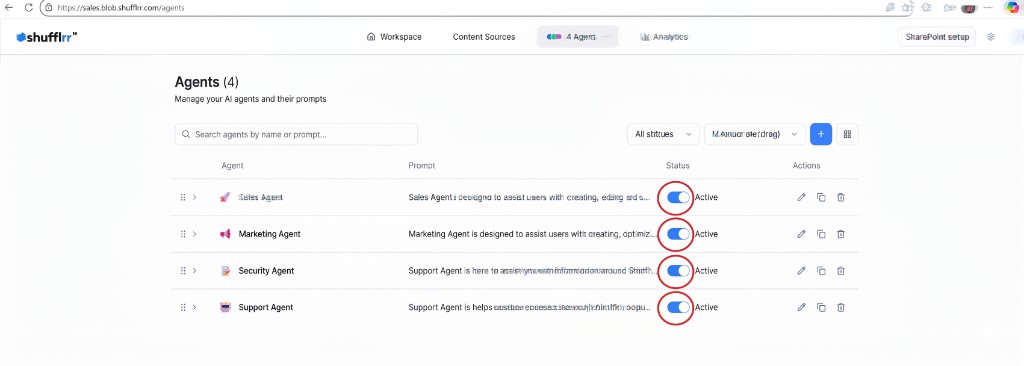
- Open active agents — open the top navigation control.
- Review agent status — identify the assistants that participate in searches.
- Open full agent management — select Manage All Agents.
Steps
- Open the Agents control in the top navigation (for example, 4 Agents).
- Review the assistants marked Active.
- Select Manage All Agents to open the full Agents page at
/agents. - Return to Workspace at
/appwhen you are ready to search.
Note: The actions available on the Agents page depend on your account role.