
Agents
Agents are the AI workers that search connected content and return slides for a prompt.
They are like colleagues in your company with different expertise — for example marketing, sales, finance, product development, human resources, and so on. Each agent can be configured with its own role, instructions, tone, and knowledge sources.
Open the Agents control in the top navigation (for example, 4 Agents) and select Manage All Agents. The direct path is /agents.
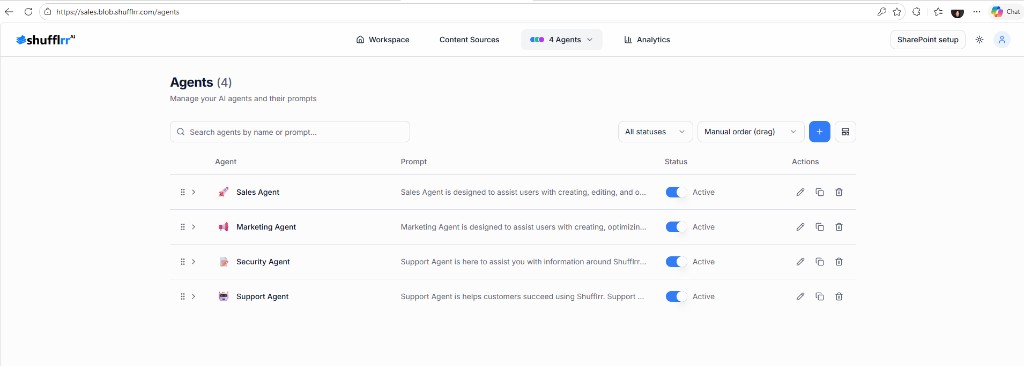
- Agent search and filters — narrow the list by name, status, or sort order.
- Expand an agent — open an agent row to review more information.
- Agent status — check whether the agent is active.
Review agents
You can review:
- Agent name
- Prompt
- Status
- Actions
Use Search assistant profiles to find an agent by name. Use the All statuses filter to show all, active, or inactive agents, and use the Manual order (drag) control to change their order.
Select the expand arrow on an agent row to review more information. Editing, creation, activation, ordering, and deletion controls are shown only when your account has the required permissions.