
Podium and Screen
The presentation workflow now uses two workspace views:
- Podium is the private holding queue where you organize and preview slides.
- Screen is the audience-facing view and presentation timeline.
Prepare on Podium
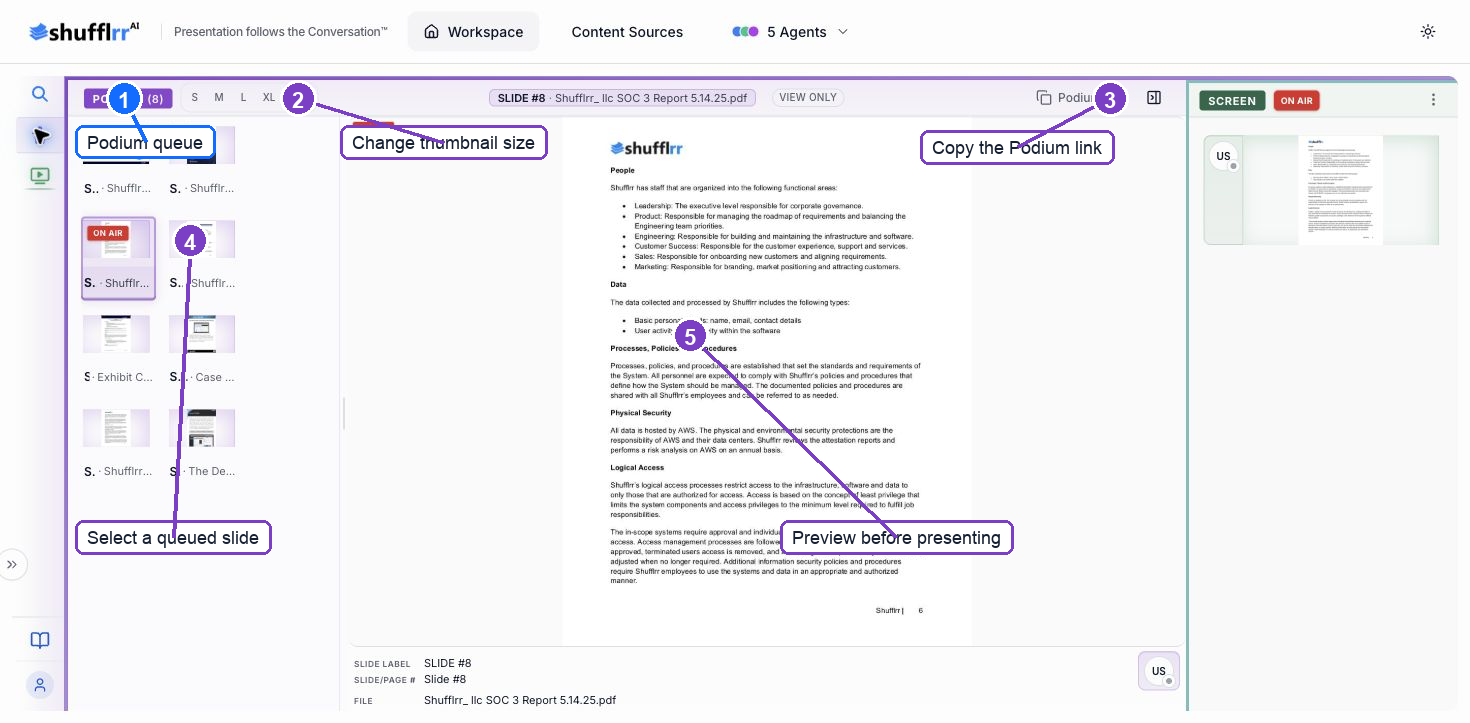
Steps
- Add candidate slides to Podium from Backstage.
- Open Podium from the left rail.
- Select a queued slide to preview it.
- Adjust thumbnail size when needed.
- Confirm the correct slide before moving it on air.
Present on Screen
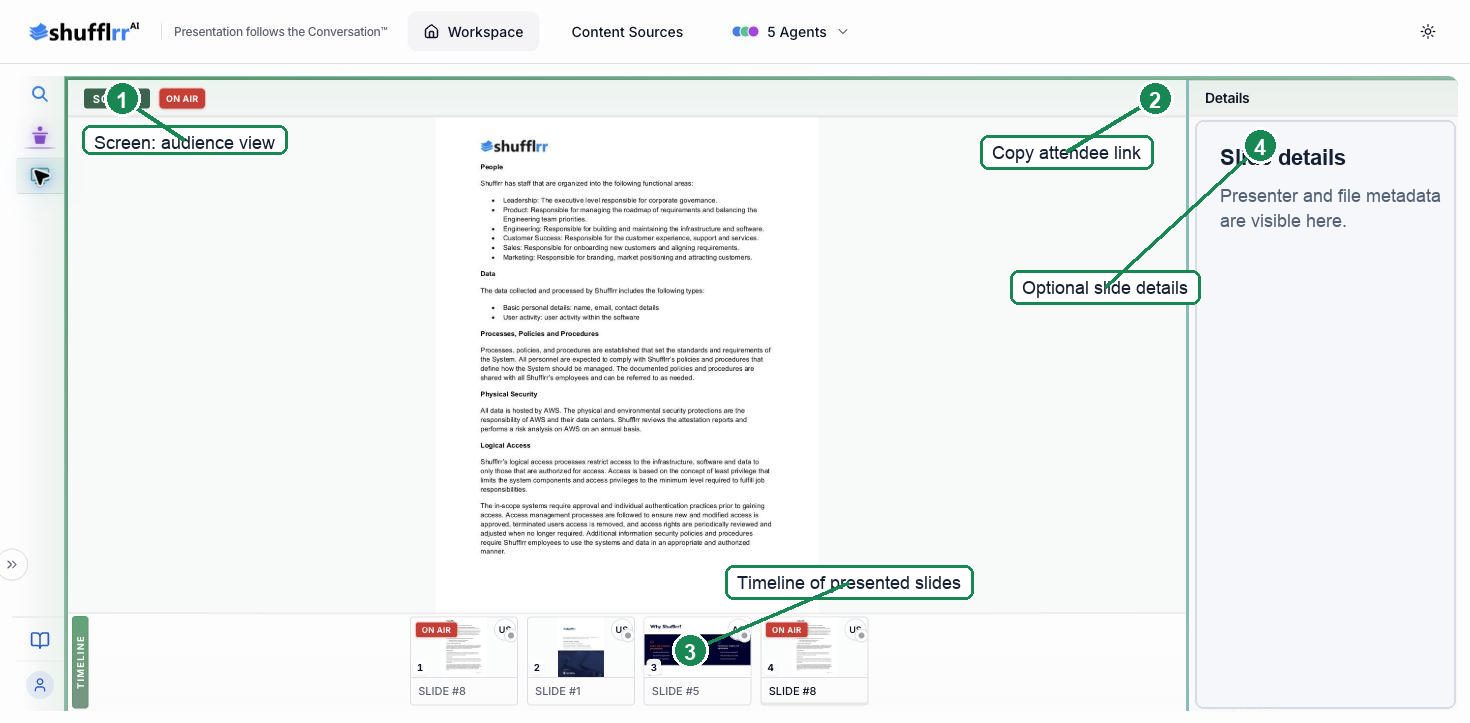
- Open Screen from the left rail.
- Confirm the intended slide is marked ON AIR.
- Copy the Screen link when attendees should open the audience view directly.
- Use the timeline to review slides that have been presented.
To present through Zoom, Microsoft Teams, Webex, or another meeting app, share the Shufflrr Screen window or tab from that app.